Real-time face recognition · Now available

Facial Recognition
applied to help
YOU

  • With strategic placement of cameras you can identify and check-in customers before they even get to a front desk.
  • All you need is a PC or laptop with a forward-facing camera or webcam.
  • Set up additional cameras as needed — no limit on devices.
  • Wearable glasses for hands-free mobile recognition on the move.
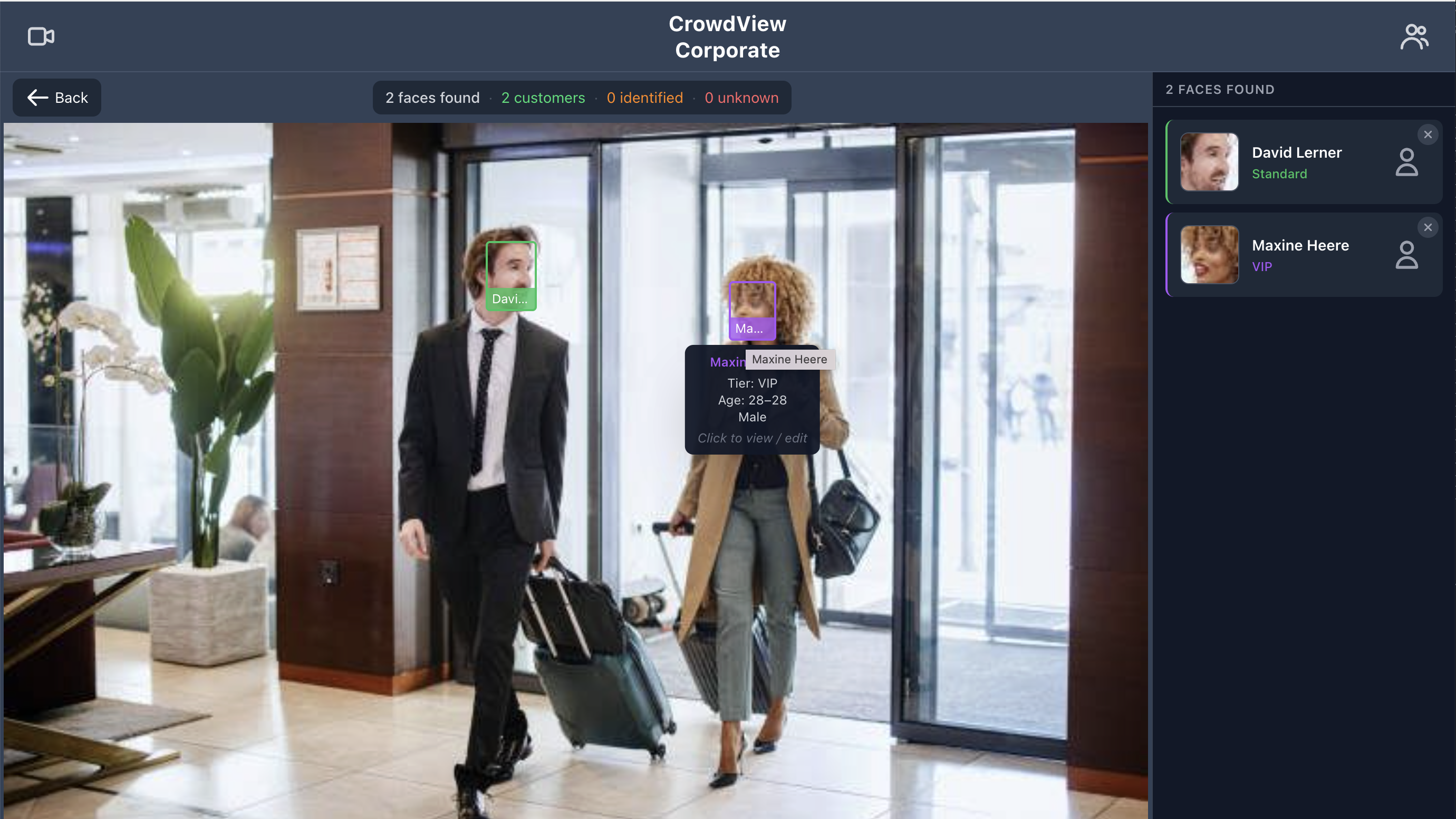
CrowdView identifying faces in real time
Scans per second in Live mode
<1s
Time to identify a known face
Devices per organisation
0
Software to install

Built for every
customer-facing business

🏢

Small businesses & professional offices

Give law firms, medical practices, and financial advisers the kind of personal touch once reserved for large concierge teams. Recognise clients on arrival, surface their file or appointment details instantly, and make every visit feel individually attended to.

🍽

Hospitality & dining

Welcome regulars by name before they reach the host stand. Surface seating preferences, dietary notes, and loyalty status the moment a face is seen.

🎪

Events & venues

Walk the floor with a phone or smart glasses. Identify VIP guests on the move and alert staff before they reach a checkpoint — no lanyard required.

🏪

Retail & showrooms

Recognise high-value customers the moment they enter. Trigger personalised greetings, alert an account manager, or surface purchase history automatically.

🔐

Security & access

Flag security risks before entry and track employee attendance passively. Every camera in the system records who was seen, where, and when.

Up and running
in minutes

1

Sign up & set up

Create a free account and start your free trial by clicking one of the Start Free Trial buttons. No downloads. Open the Hub Screen in Chrome on any PC with a webcam.

2

Identify & enrol

Point the camera at your door. Unknown faces appear in red — click any to add a name, notes, and tier. They're enrolled instantly.

3

Recognise every time

From the next visit onward every enrolled customer is identified automatically — with their name, tier, and notes on screen before they say a word.

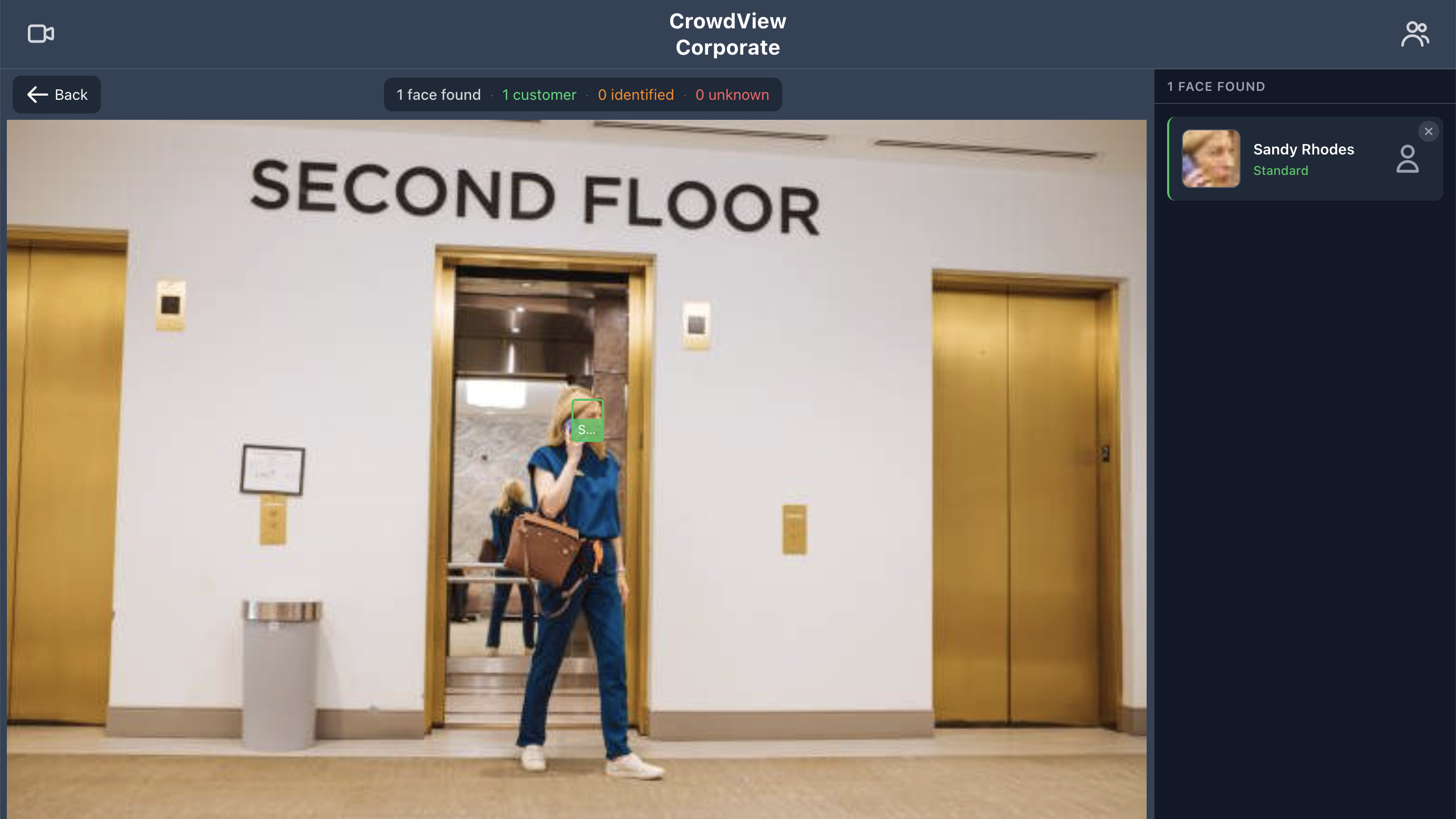
CrowdView identifying a customer in an office lobby

Greet every guest
at the right level

Assign tiers to customers and see their status the moment they appear on camera — so every member of staff knows the priority before saying hello.

Security risk
Standard
Silver
Gold
Platinum
VIP

Tier names are fully customisable. Colors are fixed for instant recognition across your team.

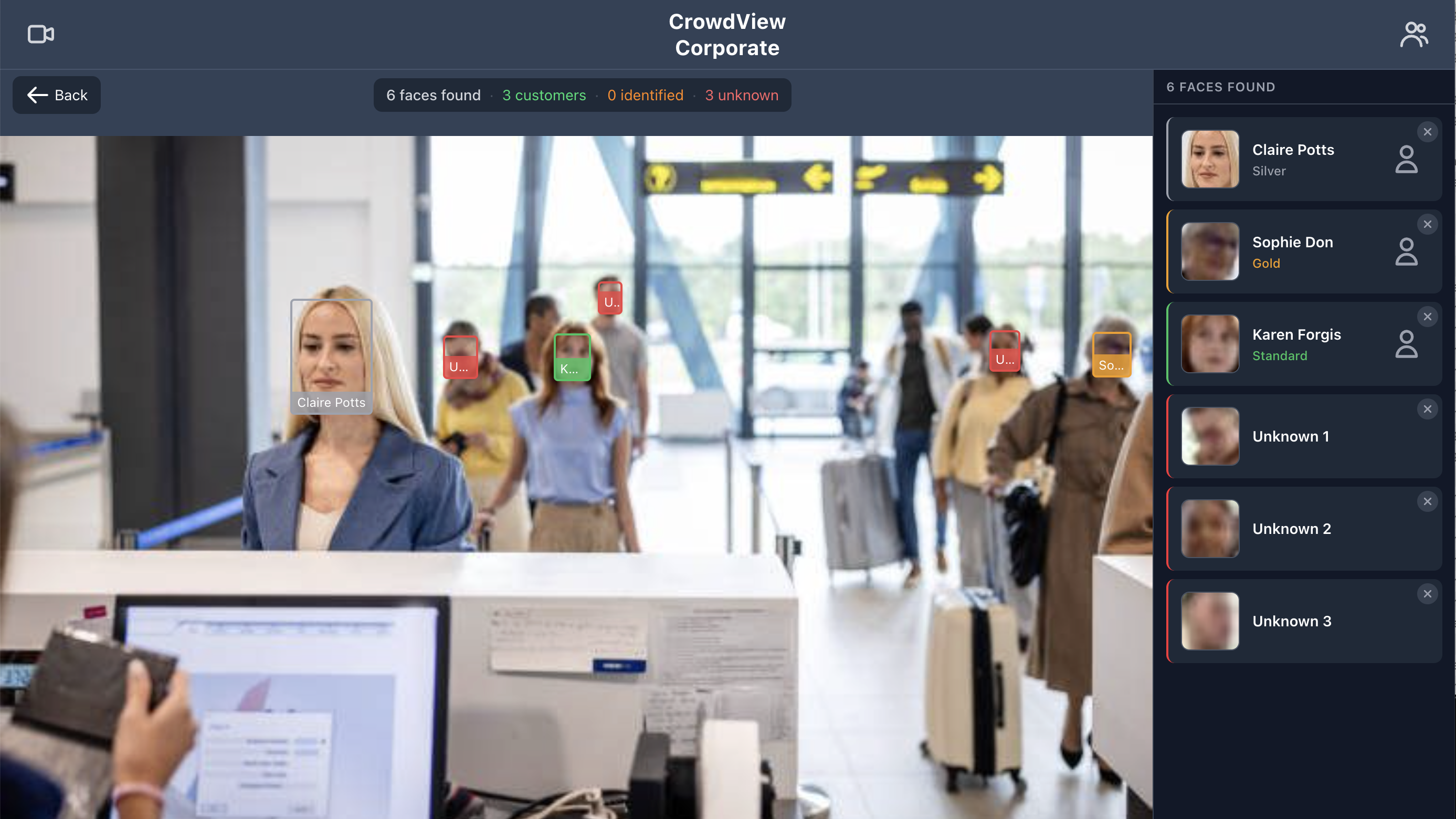
CrowdView identifying customers at an airline check-in desk

Everything you need
at the front desk

👁

Live detection

Continuous scanning at ~2 frames per second. Coloured bounding boxes identify known customers, employees, and unknowns at a glance.

📸

Instant ID scan

Single-tap identification of everyone in frame. One detection token, results in under a second — perfect for quieter moments.

🏅

Customer tiers

Assign Standard, Silver, Gold, Platinum, or VIP tiers to customers. Tier colour appears on every bounding box so staff know the priority instantly.

📡

Live streams

Broadcast the front desk feed to any back-office device. Managers and hosts see the same live overlay — faces, names, tiers — without a camera of their own.

📱

Mobile & wearables

Full feature set on iOS and Android. Connect smart glasses and use a hands-free first-person view while results display on your phone.

🕶 AR glasses: compatible with INMO Air 3 only

🏢

Multi-desk corporate

Unlimited users sharing one customer database. Add a new front desk in minutes — no configuration, no syncing, just log in.

Start in minutes,
master in an hour

Every feature documented, every question answered.

Start free trial Quick start guide Full user guide

Ready to know your customers?

Start your free trial today — no credit card required, no hardware to buy.

Start free trial Contact us

Get in touch

Have a question or want to see a demo? Drop us a message and we'll get back to you within one business day.